-

School Organisers
Run / Manage a Book Club- Earn Scholastic Rewards for your school when parents buy books.
- Spend Scholastic Rewards on new books and teaching resources.
- Promote reading and a lifelong love of books.
-

Parents/Carers
Browse Books- Buy books and earn free books for your school.
- The best children’s books at great prices.
- Free delivery to your school.
-

Kids
Join the Club- Find out more about the books you love.
- Enter competitions.
- Download activities and games.
Discover the magic of a Scholastic Book Club
Latest Offers
-
Books for 0–6 years
-
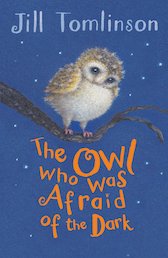
 The Owl Who Was Afraid of the Dark
- gbp prices
- Offer price: £3.99
- Rewards/RRP: £6.99
-
The Nothing to See Here Hotel #1: The Nothing to See Here Hotel
- gbp prices
- Offer price: £2.99
- Rewards/RRP: £6.99
-
10books
Scholastic Poetry Pack x 10- gbp prices
- Offer price: £9.99
- Rewards/RRP: £59.90
-
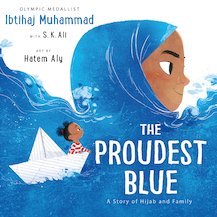
The Proudest Blue
- gbp prices
- Offer price: £4.99
- Rewards/RRP: £7.99
-
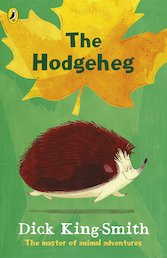
The Hodgeheg
Editor's pick
- gbp prices
- Offer price: £3.99
- Rewards/RRP: £6.99
-
Lift-the-flap Looking After Our Ocean
- gbp prices
- Offer price: £7.99
- Rewards/RRP: £10.99
-
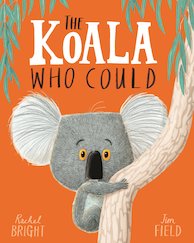
The Koala Who Could
- gbp prices
- Offer price: £3.99
- Rewards/RRP: £6.99
-
4books
Isadora Moon Pack x 4- gbp prices
- Offer price: £10.99
- Rewards/RRP: £26.96
-
The Colour Monster
- gbp prices
- Offer price: £5.99
- Rewards/RRP: £7.99
-
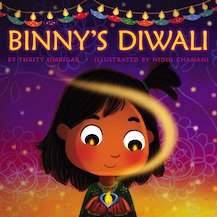
Binny's Diwali
- gbp prices
- Offer price: £5.99
- Rewards/RRP: £7.99
-
Billy and the Dragon
Award-winning author
- gbp prices
- Offer price: £3.99
- Rewards/RRP: £7.99
-
6books
Percy the Park Keeper Pack x 6- gbp prices
- Offer price: £12.99
- Rewards/RRP: £41.94
-
-
Books for 7–11 years
-
Oxford Primary Dictionary
- gbp prices
- Offer price: £4.99
- Rewards/RRP: £7.99
-
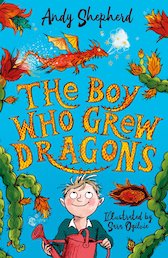
The Boy Who Grew Dragons
- gbp prices
- Offer price: £4.99
- Rewards/RRP: £7.99
-
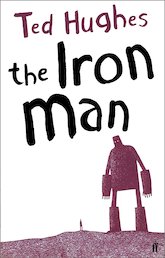
The Iron Man
- gbp prices
- Offer price: £3.99
- Rewards/RRP: £6.99
-
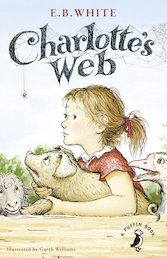
Charlotte's Web
- gbp prices
- Offer price: £3.99
- Rewards/RRP: £7.99
-
Oxford Primary Thesaurus
- gbp prices
- Offer price: £4.99
- Rewards/RRP: £7.99
-
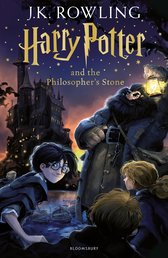
Harry Potter and the Philosopher's Stone
- gbp prices
- Offer price: £4.99
- Rewards/RRP: £7.99
-
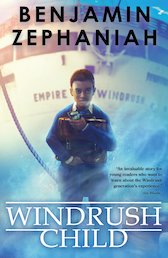
Voices #5: Windrush Child
Editor's pick
- gbp prices
- Offer price: £4.99
- Rewards/RRP: £7.99
-
10books
Dog Man Pack x10- gbp prices
- Offer price: £39.99
- Rewards/RRP: £89.90
-
Charlie and the Chocolate Factory
- gbp prices
- Price: £3.99
-
7books
Harry Potter Pack x 7- gbp prices
- Offer price: £29.99
- Rewards/RRP: £59.93
-
Gods Squad #1: Oh Maya Gods!
Editor's pick
- gbp prices
- Offer price: £5.99
- Rewards/RRP: £7.99
-
10books
Scholastic Poetry Pack x 10- gbp prices
- Offer price: £9.99
- Rewards/RRP: £59.90
-
-
Books for 11+ years
-
Wonder
- gbp prices
- Offer price: £4.99
- Rewards/RRP: £7.99
-
The Boy at the Back of the Class
- gbp prices
- Offer price: £4.99
- Rewards/RRP: £7.99
-
Holes
- gbp prices
- Offer price: £4.99
- Rewards/RRP: £7.99
-
The Hunger Games #1: The Hunger Games
- gbp prices
- Offer price: £3.99
- Rewards/RRP: £8.99
-
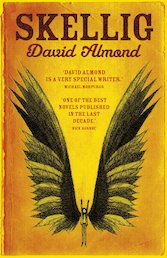
Skellig
- gbp prices
- Offer price: £3.99
- Rewards/RRP: £7.99
-
Voices #5: Windrush Child
Editor's pick
- gbp prices
- Offer price: £4.99
- Rewards/RRP: £7.99
-
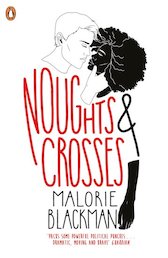
Noughts and Crosses
- gbp prices
- Offer price: £3.99
- Rewards/RRP: £8.99
-
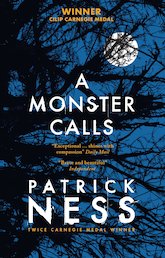
A Monster Calls (Non-Illustrated Edition)
Award-winning
- gbp prices
- Offer price: £4.99
- Rewards/RRP: £7.99
-
10books
Dog Man Pack x10- gbp prices
- Offer price: £39.99
- Rewards/RRP: £89.90
-
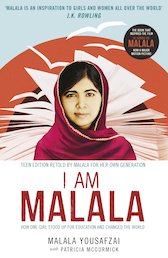
I Am Malala: The Girl Who Stood Up for Education and Changed the World
- gbp prices
- Offer price: £4.99
- Rewards/RRP: £7.99
-
Percy Jackson and the Lightning Thief
- gbp prices
- Offer price: £2.99
- Rewards/RRP: £8.99
-
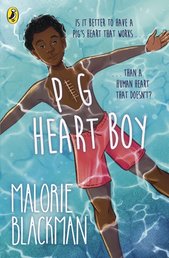
Pig-Heart Boy
- gbp prices
- Offer price: £3.99
- Rewards/RRP: £7.99
-
-
-
Oxford Primary Dictionary
- gbp prices
- Offer price: £4.99
- Rewards/RRP: £7.99
-
Scholastic Resource Bank: Primary
-
Scholastic Resource Bank: Early Years
-
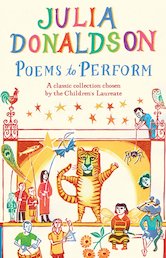
Poems to Perform
Award-winning author
- gbp prices
- Offer price: £6.30
- Rewards/RRP: £6.99
-
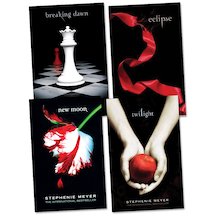
4books
Twilight Pack x 4- gbp prices
- Offer price: £17.99
- Rewards/RRP: £35.96
-
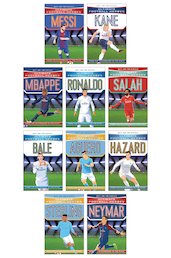
10books
Ultimate Football Heroes x10- gbp prices
- Offer price: £52.40
- Rewards/RRP: £69.90
-
Annotation Edition Texts: A Christmas Carol: Annotation Edition
- gbp prices
- Offer price: £6.30
- Rewards/RRP: £6.99
-
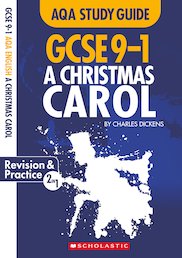
GCSE Grades 9-1 Study Guides: A Christmas Carol AQA English Literature
- gbp prices
- Offer price: £6.30
- Rewards/RRP: £6.99
-
4books
Big Cat Readers Book Band Lime Pack x 4- gbp prices
- Offer price: £19.50
- Rewards/RRP: £26.00
-
4books
Big Cat Phonics for Letters and Sounds: Book Band Blue Pack x 4- gbp prices
- Offer price: £13.50
- Rewards/RRP: £18.00
-
4books
Big Cat Readers Book Band Gold Pack x 4- gbp prices
- Offer price: £18.00
- Rewards/RRP: £24.00
-
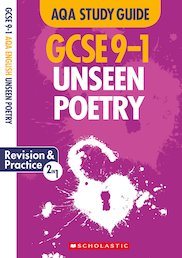
GCSE Grades 9-1 Study Guides: Unseen Poetry AQA English Literature
- gbp prices
- Offer price: £6.30
- Rewards/RRP: £6.99
-